Search results for: “label/Digital Photos”

  • How to Organize Your Digital Photos

    If you are like me, then you probably have thousands of digital photos stored on CDs/DVDs or a hard drive. There doesn’t appear to be any problems with the way you store you digital photos, until you need to find a specific one. At this point you remember how you stored your old printed photos in a shoebox in a closet somewhere and had no idea where a photo could be found.

    In this post I’ll explain the method I use to organize my digital photos in an easy and efficient manner. I am able to find a specific photo or all photos of someone within a few minutes, if not seconds.

    (more…)

  • How I Organize My Digital Photos

    If you are like me you probably have taken thousands of pictures with your digital camera. Digital cameras make it very easy to take photos, since you can view the photos immediately, and only keep the photos you like. Once you are done taking pictures, it is usually very easy to transfer them to a computer and then print them out.

    Once you have transferred them, how do you organize the photos? There are many methods that people use to organize their photos, and I have my method, which I explain below.

    (more…)

  • 8 Major Trends For Printers To Capitalize On In 2023

    8 Major Trends For Printers To Capitalize On In 2023

    The year 2021 was challenging for the print sector. Lockdowns and restrictions caused a decrease in market demand for traditional print applications.

    Additionally, wide format, light packaging, and label use expanded. Quickly switching their focus to other markets, businesses experienced rapid development.

    The industry is showing clear signs of economic revival, which is good news. The year 2023 is predicted to be significantly better. Those who comply will benefit from new trends and play a more significant part in their customers’ success.

    1. Digital Print Is Expanding Due To Shifting Supply Networks

    A clear transition to eCommerce has occurred during the past 12 to 18 months. The expectation among consumers is now for record-breaking delivery timeframes.

    Due to the increase in local manufacturing and the prolonged overseas shipping times, there is a greater demand for on-demand printing and label manufacturing. Customers are looking for environmentally friendly options.

    With less trash and pollutants produced, digital printing is an excellent solution to this problem. Additionally, more environmentally friendly materials are used, resulting in lower client costs. What advantages does digital printing have for online shopping?

    Compared to non-digital technologies, digital print gives significantly more versatility. This means that businesses can develop customized banners, signs, and more printing options using digital designs or innovative packaging with QR codes that can be scanned and shared.

    Organizations will need to do this to fully capitalize on the advantages of drone-based delivery and real-time package tracking. Additionally, certain digital label presses are now able to create labels that are food-safe.

    2. Automation Is Bringing Forth Efficiencies

    Printers are already saving money and labor by automating print workflows and utilizing inline finishing equipment. Fewer people are needed to manage a job through to completion when operations are automated. As a result, printers can take on more work, provide clients with better results, and spend less money.

    By automating their workflows, printers can manage orders round-the-clock and maximize the efficiency of their hardware. They can speed up printing and finishing, print on demand, enhance profitability, and provide new services to draw in new clients by streamlining prepress labor.

    What does the future hold for automation? Automation will continue to spread in 2023 due to its advantages.

    With the ability to offer more intricate services and outputs thanks to automated workflow adoption, printers may increase consumer demand without raising prices.

    Margin expansion and the development of the company’s standing as a trustworthy, superior printer are benefits of doing this. Printing companies should focus on automating several critical processes, such as:

    • web to print
    • job submission / prepress
    • color management
    • variable data printing
    • finishing
    • device management

    3. Design Solutions

    A design staff is increasingly crucial for even the smallest printing businesses. Focusing on this business sector can help you stay competitive in the industry, whether you’re a single graphic designer or a large team. In addition, you may now generate income from logo and website design instead of relying simply on print revenue.

    4. Digital Marketing

    One of the most efficient marketing strategies accessible today is digital marketing. One looping piece of social media advertising can reach specific viewers for an unlimited period, making it the ideal example.

    Social media advertising is just one aspect of digital marketing, though. It also provides extras like podcast production and website hosting. As a result, printing businesses that use these services can significantly increase their revenue in 2023.

    5. Increase In Sustainable Printing

    The rise in sustainable printing services is one trend that is likely to keep expanding over the coming few years. Eco-friendly technology is predicted to become increasingly commonplace in the sector by 2023.

    These technologies, of course, offer a variety of other advantages in addition to being ecologically beneficial. They can boost your product’s quality while also offering a cost-effective option.

    6. The Rise Of Digital Inkjet

    This rise will be driven mainly by the printing industry, which has a higher demand for lightweight, manageable packaging that is also affordable.

    To avoid sacrificing quality or speed, selecting an ink that can print on various substrates, including tissue or lightweight packaging, is crucial.

    You only need a practical inkjet printer that can produce outstanding quality on various surfaces; you don’t want to spend money on pricey coatings or specialized digital stocks.

    The sharp tool is LED UV inkjet technology. Due to the eCommerce industry’s continuous rapid growth, the need for various packaging choices will remain extremely strong through 2023 and beyond.

    Direct Mail Marketing Campaign

    7. Direct Mail Marketing Campaigns

    One of the most basic kinds of advertising is recognized to be direct mail marketing efforts. They are a reliable, efficient technique to bring in new clients while reasonably priced.

    Direct mail marketing programs allow businesses to maintain brand awareness while influencing current or inactive clients.

    8. Sustainability Will Have a Higher Priority

    Many organizations now focus on minimizing their environmental impact; thus, manufacturers and channel partners must offer more environmentally friendly technological offerings.

    Improved data analysis and reporting, circular goods and services, carbon data analysis, and process automation can contribute to sustainability. Switching clients from on-premise servers to cloud-based helps lower IT energy usage and associated carbon emissions.

    Major Shifts in the Digital Printing Industry?

    Growing technology has always provided more accessible, successful opportunities for companies to diversify their product lines.

    Profit margins are predicted to rise considerably as digital technology becomes more efficient. Commercial printing companies are also trying to diversify to adjust how businesses manage their print marketing campaigns as they change.

    As a result of the COVID-19 epidemic, which caused many print suppliers to experience commercial losses, they have begun to diversify their portfolio of goods and services rather than sticking to specific markets.

    When you successfully meet your customers’ printing needs, they won’t need to look elsewhere for help with their print marketing initiatives.

    Conclusion

    Online digital printing’s convenience is a big draw for customers and businesses, and that trend is here to stay. The commercial printing sector has been completely transformed by the availability of internet uploads of photos and designs for picture albums, greeting cards, brochures, signage, and more.

  • Data Archiving Method

    I have recently begun backing up my data such as photos (both digital and film), videos, and other files so that in case something happens, I will not lose my irreplaceable data. There is always much discussion on the best ways to archive data, and I have my way. Many may agree and disagree with my method, but this one works for me.

    In this post I will explain my method, as well as the reasons I chose to use the tools and storage devices.

    Organizing and Labelling the Data

    Before I begin to archive the data, I first organize the data, as well as set some labeling standards. The archival process is much easier once you have organized all your files, photos, and whatever else you will be archiving.

    If you plan to scan photos, slides, negatives, or other documents, you should separate them into groups, either by date or people. This will help you to keep certain items together within your archives.

    Once you have organized your data, you should create a labeling scheme to make it easier for you to find the data that you need. I have decided to backup my data on DVDs (I’ll explain why below), so each DVD is stored in a jewel case with a label assigned to the case. The label contains the following:

    1. Title – I provide a descriptive title to indicate the contents of the DVD.
    2. Years – I indicate the years covered by the data on the DVD. This helps to order the DVDs in chronological order, even if they weren’t burned in that order.
    3. Created Date – The date that I created the DVD. This will come in handy in the future to determine how old the DVD is, and whether I should create a new copy of the DVD.
    4. Catalog Name – This is a unique name that I give each DVD so I can organize them. I came up with a naming convention that indicates the type of data on the DVD.
    5. Family – This field contains the last name of the family represented by the data on the DVD. This helps to find data for a specific family name.

    I also decided to use coloured jewel cases that will help indicated the data on each DVD. For example, for photos I use a black jewel case, and videos will be stored in blue cases. You can easily purchase a box of coloured jewel cases for cheap.

    Once I have organized my data, and came up with a labeling scheme, the next step is to start determining how to store the data.

    Archiving Media

    This is probably the most debated point with regards to archiving data. Many people have their opinions about which media is best. Each media type has its pros and cons, so choose one that works for you.

    I have chosen to archive my data on single-layer DVD discs. I chose this method because they are relatively affordable, can hold a lot of data and can be easily stored. When I do make an archive disc, I always make two copies, so that if one becomes corrupted in the future, then I can retrieve my data from the copy.

    I have, however, not chosen just any DVD discs to use for archiving. I have chosen to use DVD+R discs from Taiyo Yuden. The DVD+R format has several benefits over the DVD-R specification, with one of the benefits being better error management. Taiyo Yuden discs are known as very reliable discs, so I chose them for my archives.

    Just in case you are wondering where you can purchase Taiyo Yuden discs, I discovered that very few stores, if any, carry them. I ordered mine online, as most people probably do. I only know of two online stores where you can order them for those living in Canada or the United States:

    If you know where else you can purchase these DVDs, I would like to know. Be careful, however, as many places offer DVDs that say they are Taiyo Yuden, when in fact they are fakes.

    I burn the DVD using Nero, using the catalog name as the DVD name, and perform a verification after each burn to ensure that the data was written without any issues. Once the burn has completed, I print the label, and then insert the label into the jewel case with the DVD. I write the catalog name on the DVD using a water-based CD marker.

    When I’m done with my burning, I move one of the copies offsite to prevent all my archives from being destroy if something were to happen to my home.

    Many people have discussed the life of a burned DVD, and whether their data will be available in 50 years. I think that as long as the data is readable after 5 years I should be good. I’ll probably move my data to the next generation of storage media, so won’t care if these DVDs can be read in 50 years.

    Summary

    In this post I have provided an overview of my method for archiving my data. I use a simple labeling system as well as DVD+R discs to organize and store my data. For more security, and piece of mind, I also always burn at least two copies of the data, just in case one is destroyed. Finally I move one of the copies offsite to losing all archives if something were to happen.

    You can choose to follow my method, or come up with your own. You should always create a system that works best for you.

  • 33 Tips for Selling Items on eBay

    33 Tips for Selling Items on eBay

    eBay provides all the tools necessary to sell or auction of items for either an individual or a business. While it has been around for many years, eBay still remains near the top for selling items on the Web.

    While it may seem like an item can sell pretty quickly on eBay, you will face some competition from others that may be selling the same or similar items. To help you sell your items quickly, and for the most money, here are 33 tips for selling items on eBay.

    33 Tips for Selling Items on eBay

    Listing the item

    1. Follow eBay’s rules on listings. eBay has rules for listings that you will need to follow. If you don’t adhere to the rules your may find your item removed from eBay or even your account being revoked.

    2. Use the right keywords in your listing. Keywords are the key to appearing in both eBay’s and the search engines’ search results. While you shouldn’t get too crazy with your listing title, ensure that you include the manufacturer, item type, size, and color in the description.

    3. Don’t use very large words. When describing the item, try to write at an 8th grade level to allow anyone to understand the item. If you use large, complex words that some may not know, you may lose potential customers.

    4. Do your reasearch. With the vast amount of information on the Internet it is important to understand exactly what your are selling and how much it is actually worth. While everyone wants to make money, but if you ask too much for an item then it may not sell. On the flip side, if you ask too little, then you are short-changing yourself.

    5. Take it as constructive criticism. When listing items on eBay, you will receive feedback – both positive and negative. The key is to take any feedback as constructive as possible. When you reply, be courteous and try to read between the lines of all the negativity and make changes to your listings, if possible.

    6. Be as honest as possible. While you may not enjoy adding details about any defects or flaws with your item, it is important to be as honest about the item to potential buyers. It may help to even include photos of the flaws to illustrate your point. This will help buyers understand exactly what they are buying, as well, as perhaps build up reputation for future purchases.

    7. Make your listing look professional. Take the time to ensure your listing looks as good as possible. This includes a clear, well-written description, and good photos. Treat your listing as a business – especially if your business relies on selling items on eBay – and get people to trust you.

    8. Choose optimal start and end times. According to statistics, most people will be buying on eBay in the evening hours, so it would be wise to start your auction at night. Also, ending your auction at night is also beneficial as that will be when most people will be bidding.

    9. Don’t inflate the shipping costs. I can’t tell you how many times I have seen cheap items that cost huge amounts to ship. Don’t list your items for cheap and expect to cover the costs with shipping. This is dishonest, and will get people to distrust you very quickly.

    10. Provide clear return policies. Regardless of the product, defects and issues will happen. Ensure that you clearly indicate any return policy, if applicable, in the listing so the bidder knows exactly what to expect if there is a problem with the product.

    11. Practice good customer service. The more you list on eBay the more questions or issues could come up. It is important to respond to any question from bidders’ in a timely and courteous manner. Also, if issues in the product do come up, ensure you honor the return policy that you have communicated in your listing.

    12. Accept PayPal as payment. While some people may be against using PayPal, when it comes to eBay almost everyone uses PayPal for sending and receiving money. PayPal adds more piece-of-mind to a buyer as they don’t need to worry about sending credit card information to the seller. Plus, using PayPal on eBay allows the buyer to pay for the item in only a few clicks.

    13. Encourage feedback from the buyer. eBay is built on reputation and having buyers record positive feedback will go a long way to establishing your eBay account as trustworthy. Trust is everything when selling items on eBay.
    Taking pictures of the item

    Taking pictures of the item

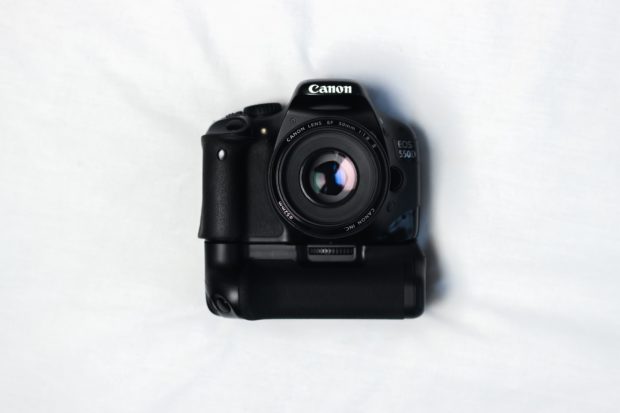
    14. Take the time for better photos. When taking photos of your items, don’t just pull out your smartphone and snap a photo. Take the time to properly display your item, and take the best photo possible. Buyers will usually view items that have better photos.

    15. Use fill-flash when possible. If you take photos of an item with direct, harsh light, such as outside, then turn on the flash on your camera to fill in the shadow areas. This will reduce the dark shadows and provide more details to your item.

    16. Use a digital camera. While smartphones have become popular cameras because of their convenience, a digital camera still provides the best way of taking photos. With digital cameras you can control pretty much all photograph settings, which gives you complete freedom over the final photo.

    17. Use a tripod. For the best photos possible, always use a tripod when taking pictures of your objects. This will ensure that the item will be sharp in the photo, helping to create the best photo possible.

    18. Use the lowest ISO setting. While a higher ISO setting allows you to take photos with less light, when it comes to the items you list on eBay, you want the best quality photo possible. A lower ISO setting will produce much less noise, better colors and sharper images. Since you should be using a tripod, using the lowest ISO setting on your camera is possible.

    19 Take photos of items against a plain background. When taking photos of the items, don’t use a busy or distracting background. For many small items, a simple white or black piece of cardboard will work really well in keepin the focus on the item.

    20. Zoom in on the item. If the item has intricate details, take close-up photos of the item to provide the buyer with a good view of the various detail. You may also want to take close-ups of any defects of the item to provide more information to the buyer so they have a better understanding of what you were describing in the listing.

    21. Adjust the white balance. For items that are color-specific, don’t just use the auto white balance on the camera as the colors of the item may not be accurate. It would be better to understand how to set the custom white balance on your camera to get the colors as accurate as possible.

    22. Learn how to take photos of your items. Tips can only go so far when it comes to taking photos, so learning and understanding how to take pictures is important. For those that are beginners, I recommend Scott Kelby’s Digital Photography Boxed Set. The books are written with beginner’s in mind so it is easy to understand and provides information on taking many different types of pictures.
    Shipping the item

    Shipping the item

    23. Ship the item quickly. It is important to reduce the amount of time for a bidder to receive the item. While you may not have total control over the item in transit, but you can ensure that you send the item out for delivery as quick as possible. Waiting a few days to ship an item can cause an item to be late for delivery if the bidder wants the item before a specific date.

    24. Have shipping supplies on hand. One way to help ship the item quickly is to have the shipping supplies available before the item is even sold. This ensures that you can package the item as quickly as possible and have it sent out for shipping.

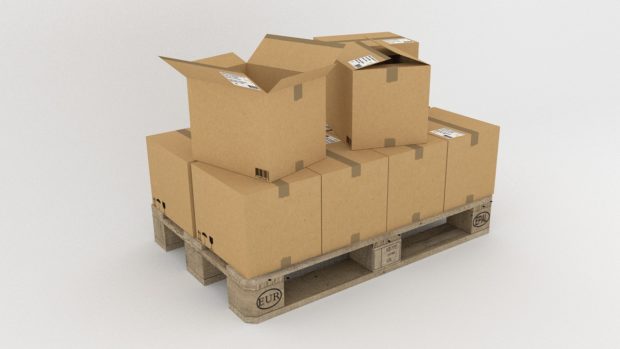
    25. Take pride in your packaging. When packaging a product, ensure that you use good, strong packaging material to avoid anything from opening during transit. Package the item to ensure that it can’t easily move around and break while it is being shipped and then also provide a packing slip. You may want to even order custom shipping boxes to brand your boxes.

    26. Print out the shipping labels from home. eBay provides a convenient way to print out the shipping labels from home. In addition to the shipping label, eBay also allows you to print out the custom forms right at home.

    27 Provide insurance for valuable items. If the item you have sold is valuable, provide shipping insurance, if possible. This will give the buyer piece of mind that the item they just purchased is covered in case there is an issue during shipping.

    28. Provide tracking information. If at all possible, provide tracking information to the bidder so they can find out where their package is located and the possible date of the package arrival.

    29. Generate repeat business on eBay. Include a business card or a thank you note in the package to help remind the buyer where they bought the item and who shipped it quickly.

    30. Use delivery confirmation on the package. While you don’t like to think buyers are unscrupulous, but the reality is that there will be some buyers that are like that. By using delivery confirmation, you can be sure that the buyer has received the package to avoid the buyer claiming that they didn’t receive the package.

    31. Use signature confirmation for valuable items. For items that are more than $250 you should use signature confirmation, especially if the item was paid using PayPal. The reason for this is that the buyer can claim the item was never received and PayPal will reimburse the money to the buyer.

    32. Reuse packaging material. If you are an occasional eBay seller, and don’t have a business on eBay, you should save packaging material (boxes, bubble wrap, etc.) from online orders you receive online. This will save you some money and possible time where you don’t have to go out and buy packaging material.

    One final tip:

    33. Have fun! You should keep a positive attitude about selling items on eBay and enjoy the process. If you have fun selling items, and hopefully making money too, then it will show in how you list your items and reply to bidders and buyers.

  • Safely Store Photographs on an External Hard Drive

    Safely Store Photographs on an External Hard Drive

    Photography has long been a passion of mine.

    Not so long ago I would spend hours tinkering around in a makeshift darkroom, processing reels and reels of Ilford HP5 films, developing numerous black and white photographs many of which adorned the walls of both my home and those of my family.

    (more…)

  • 5 Productivity Tools You Must Use at Work

    5 Productivity Tools You Must Use at Work

    In recent times, life has become fast paced and it constantly demands us to be on our toes round the clock with full energy and focus. With increased workloads, we are putting more pressure on ourselves to manage more tasks, get more done and deliver results in less time. This pressure driven lifestyle is not just putting our productivity at stake, but also increasing more stress in life.

    If your goal is to be productive then you need to have the right tools to make it happen. There are various tools and workzone software available to you, but choosing the wrong ones could lead to more wastage of time.

    Your productivity tools must be those that will help you in your work, and you must know how they function and how you can make the most out of them.

    So whether you are an entrepreneur, a freelancer or an established business, here are some of my favorite tools that I recommend you give a try.

    1. Google Drive

    Google Drive is an excellent tool and is readily used at work. It lets you store data, share and upload content and also allows you to easily share a file with clients and colleagues at work who might be collaborating with you on a project without the need for several emails.

    Google Drive works perfectly for files that are too large to share via email. The first 5 GB can be enjoyed for free, and then there’s an option to upgrade to 25 GB. Once a spreadsheet or document is created or uploaded and shared, people who have access to the content can edit the documents simultaneously.

    2. Asana

    Asana allows you to effortlessly track all the tasks you have assigned to your team or the tasks that have been assigned to you, all of them in one place. Asana helps you assign deadlines to deliver results on time, attach files, create notes, share files, view tasks, arrange tasks by priority and send daily alerts for pending to-dos. This tool is very useful for tracking progress and ensuring that your clients get the best results.

    3. Minterapp

    Do you ever ponder about how much time you spend on writing and answering emails at work and how much time you take to create a report? Why most of the important tasks are not completed in the given time? Well, then Minterapp should be your pick because it can help you manage and organize your time more efficiently.

    This tool is best for tracking time spent on numerous tasks. It creates a list of tasks that are to be completed, and allows you to allocate a time slot to finish each of them.

    The moment you click the start button, the progress bar begins to run and it notifies you by sending an alert when your time is up. If you want to stop your work to take a short breather, the timer can be paused and then restarted again. The tool also helps you in billing your clients, and creating professional invoices.

    4. AirG

    A logo maker is a professional logo design tool designed by AirG that can help you create powerful branding for your business in a matter of minutes.

    With 6000+ shapes, icons and symbols arranged by category, this tool is used by professional designers and beginners alike to create beautiful logos, with its great collection of inbuilt functionality. Whatever branding you want to create, be it a logo, sticker or label, this easy-to-use app will help you create one in no time.

    5. Evernote

    Evernote provides you tools you need to keep your work smoothly organized. It offers you features that help you collect, write and capture ideas as notes, checklists, and to-dos.

    Take notes in multiple formats including texts, photos, audios, web clippings, videos, PDF and more. Use camera capture to easily scan and comment on a piece of paper, including printed documents and business cards, and keep receipts, bills and invoices organized. Use Evernote as a digital notepad for every thought that comes to you.

    Conclusion

    Being productive in the 21st century is about using tools and apps to get important things done in your life and work. These 5 productivity tools will help you make better use of your brief time. This list is by no means exhaustive, but will definitely help you get started.

  • How Long Will a CD-R Last?

    I recently wrote a post called Backing Up Digital Photos where I outlined the various backup media you can use. I discussed the advantages and disadvantages of the various media. After the post I decided to talk more about the longevity of a CD/DVD, since that is probably the most used media for backups.

    (more…)